Are you approved?
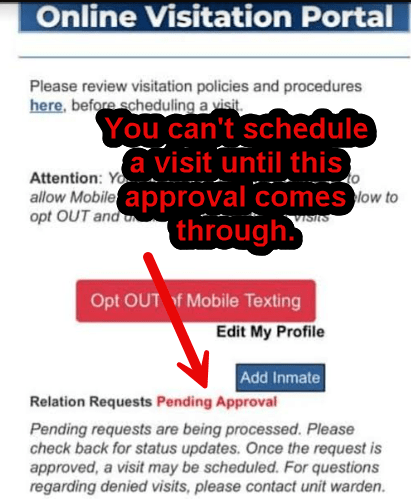
Before you can schedule a Video Visit or In-Person Visit, you need to be approved in the online portal.
Holliday Unit doesn’t use Securus for Video Visits
Most units don’t use Securus for video visitation. Only Garza West and a handful of others use Securus.
Make an Appointment
- You need an appointment, and it is competitive to get one.
- Holliday Unit: Get appointment on the vistor portal. Visits open Sat and Sun at midnight for visits that are 5 weeks out. There is no charge.
- Garza West: Make an appointment in the Securus App. Visits are $10.
- Middleton: Call the Unit to make a video visit appointment.
Does he need a tablet to Video Visit?
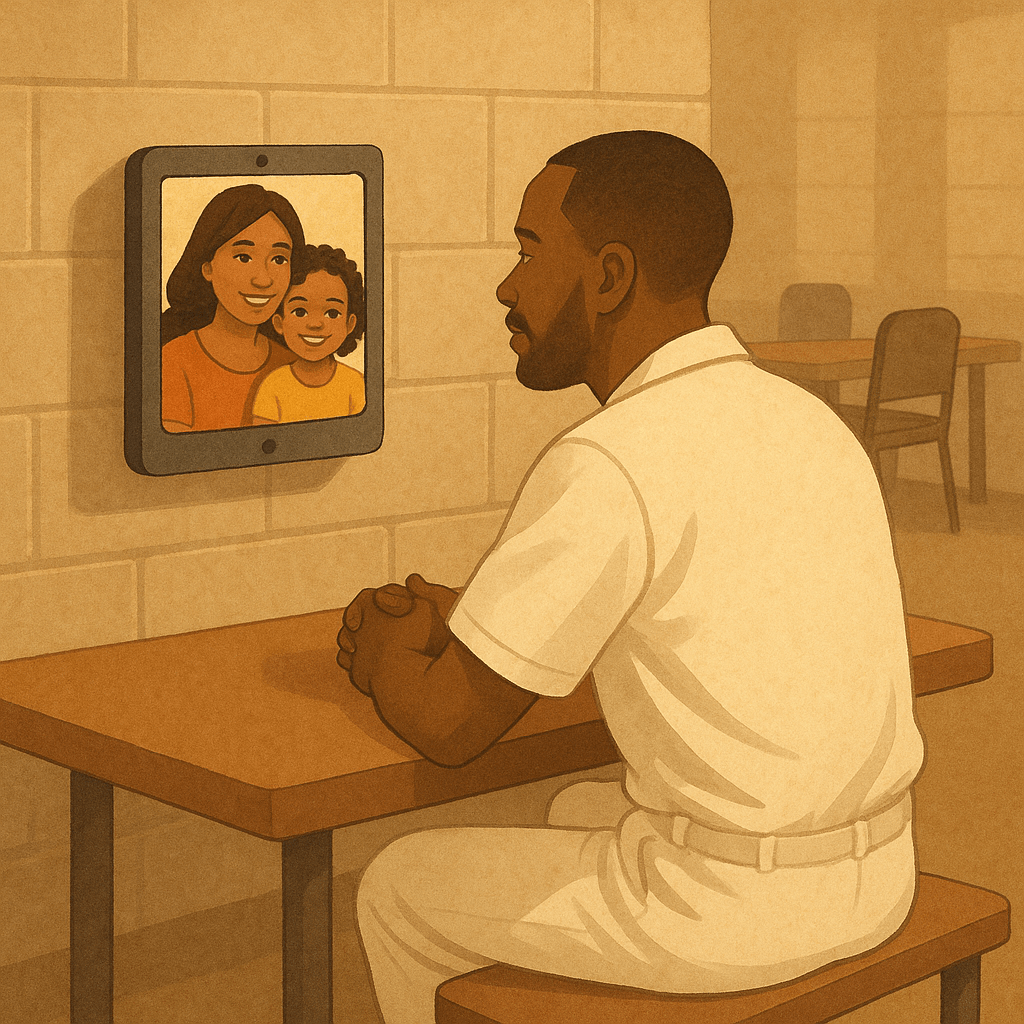
No. They don’t use their tablets for video visits. The TDCJ equipment that is the visitation area is used for the video visits; either a kiosk mounted to the wall or special tablets that are provided by the guards.
Does he need phone privileges for a Video Visit?
No. Even early-on when he can’t make phone calls, he can participate in video visits, so long as you are an approved visitor.
Video Visits at Holliday Unit
My LO was at Holliday so I will explain how it works there. Leave a comment if you have info how it works at other units. At Holliday Unit you first go to the TDCJ Visitation Portal and schedule a video visit. You can choose between an in-person or a Video/Tablet Visit.
Free Jitsi Meet app
Get the Jitsi Meet app for Holliday. When it says “Enter room name”, ignore that. At the time of your visit, you will get an email or text and you click the link to launch the Jitsi Meet app. Do not start the app on your own because nothing will happen. You click the link they send you. Clicking the link will launch the app with the correct details for your visit.

TDCJ help for Jitsi Meet
https://www.tdcj.texas.gov/visitation/video_visitation/
Wait for the link in text or email
You cannot initiate the call. Do not open the Jitsi Meet app yourself. Wait for the link to arrive and then click it. When you click the link, the Jitsi Meet app launches or the page launches. Enter your name and choose continue. The TDCJ site shows how it will look.
https://www.tdcj.texas.gov/visitation/video_visitation/
Not like County jail!
If you had video visitation at county jail, it was probably informal and he could call you anytime. At TDCJ, you can have one 60 minute visit per month, and read on to see how strict it is.
Have your id ready
Be sure you have your id because you need to hold up your id to the camera for the guard to see. If another approved visitor will be participating, they need to show their id as well. Just like in-person visits, the limit is two adults per visit.
Only Approved Visitors can be in frame
Only the person scheduling the visit and approved visitors may be on the visit. They will end the call if you don’t have id, if you swear/curse, or if you have someone else on the visit who is not an approved visitor. If there are kids, they have to be his kids.
Get somewhere quiet and still
They do tolerate the kids running around, but not you. You need to be stationary for the whole hour with no walking around. Use the restroom before the visit begins. You cannot have music or tv on so be sure you are in a quiet place. You cannot flip the camera to show the room. No one else except you can speak or be seen on the camera.
They will send you a link
If you haven’t received your link, you may need to call the unit. They are supposed to email and text them out 10-30 minutes early, but sometimes are late, or sometimes really early. The links are sent by the CO handling visitation so they can get busy and there can be glitches. Sometimes they start the visit 10+ minutes early so be ready, and have your ID ready.
Computers
If you are using a laptop or desktop computer, you don’t use the Jitsi Meet app. Just click the link they email to you. Make sure you have a functioning webcam and microphone. The Jitsi Meet app is used when you are on a smart phone or tablet. Even from a smart phone, you can choose to launch in browser and use safari without using the app.
Problems
If you don’t get a link, check spam, and call the unit and let them know you didn’t get a link text or emailed to you.
If you see your self in the video, but nothing happens:
- Make sure your volume is up
- Say “Hello, can you hear me?” The CO handles several meetings so he/she may come back on screen in a minute.
- Make sure that you did not open the Jitsi Meet app on your own. You should have clicked the link they sent and that automatically opens Jitsi Meet with the correct details.
- Call the unit. They can send another link.
60 minute visits
You can do one free video visit a month for 60 minutes. (In person visits are two hours.)
Be sure to follow the rules where only people on the visitation list can be on the video call, no swearing etc. The guard will read the rules aloud at the start of the visit. Especially if you are new, don’t do anything that will get you or your LO in trouble. You may be waiting 20 minutes for them to arrive once you join.
The dress code for video visits is the same as for in person visits. Dress conservatively in loose clothing, and don’t get banned for trying anything sexy. Enjoy your visit!
For jitsi meet visits, the COs have control over when to start and end the meeting, so if they start late, they will usually still give you the full hour. e.g. If you start at 10:17, they cut it off at 11:17. A guard told my LO five more minutes, and it cut out abrubtly after the 5 minute warning.
For securus visits, the system shuts it off, so if you start late at 10:17, you still end at 11:00. I personally had a visit that started 42 minutes late, and my visit was 18 minute long. 😦 There is a countdown timer and it cuts off the call when it reaches 0.
Vending Machines
Your LO cannot have food from the vending machines on a video visit. In some units, the video area is the same as the in-person visitation area, but he can’t accept snacks from other inmates. Like a lot of things, it depends on who is working, but just so you know, it is against the rules.
Screen Shots
At the end of the video visit, you may take a screen shot. What a treat!
Garza West
Video visit with garza west unit is through Securus app.
Make sure you are an approved visitor and go to the Securus app to schedule and use the Securus app for the video visit. It is $10, $10.83 with tax. At Holliday, schedule on the visitation portal for free.
Don’t get Banned!
Don’t drink alcohol or smoke on video. Follow the rules carefully for video visits. It is very common that newbies get banned from all visitation, including in-person visitation, for showing some skin or otherwise breaking rules. See the article https://fyitexasprisons.com/2024/07/20/its-easy-to-be-banned-from-visitation/
More TDCJ For Your Information Articles
Any additions?
Please leave a comment if anything in this article was wrong or you have tips that will help others.
 For Your Information about TDCJ
Leave a comment